AI Gateway
What is AI Gateway?
AI Gateway gives organizations one place to run and control all of their AI requests — and to secure them, with services like AI Guardrails, data protection, and threat protection. It's a proxy that controls traffic, routing, and security for every AI request: admin policies decide where each request may go and what it may carry. The result: lower AI cost, consistent security, and compliance with rules like data residency.
What is a policy?
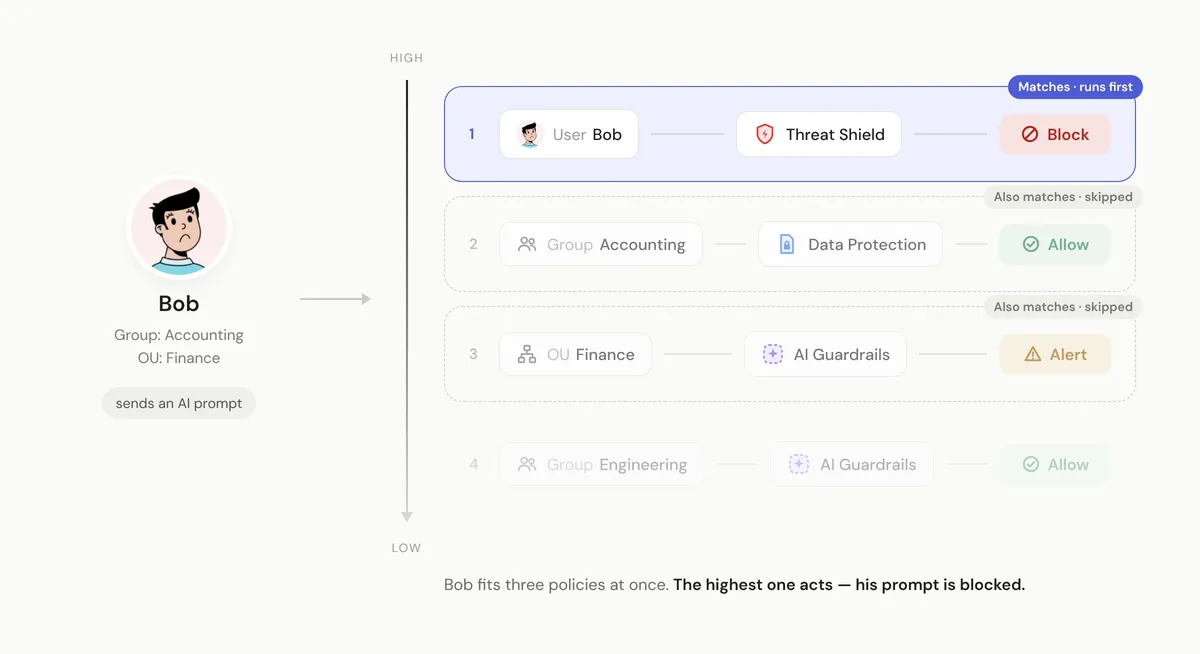
A policy is a rule an admin sets: when traffic matches certain criteria — users, user groups, organizational units (OUs) — take an action, such as allow or block. Admins often write policies whose criteria overlap; the same user can sit in a group and an OU that each have their own policy. So policies form a priority list: when more than one matches, the order decides which one runs first.
How the policy pipeline evolved
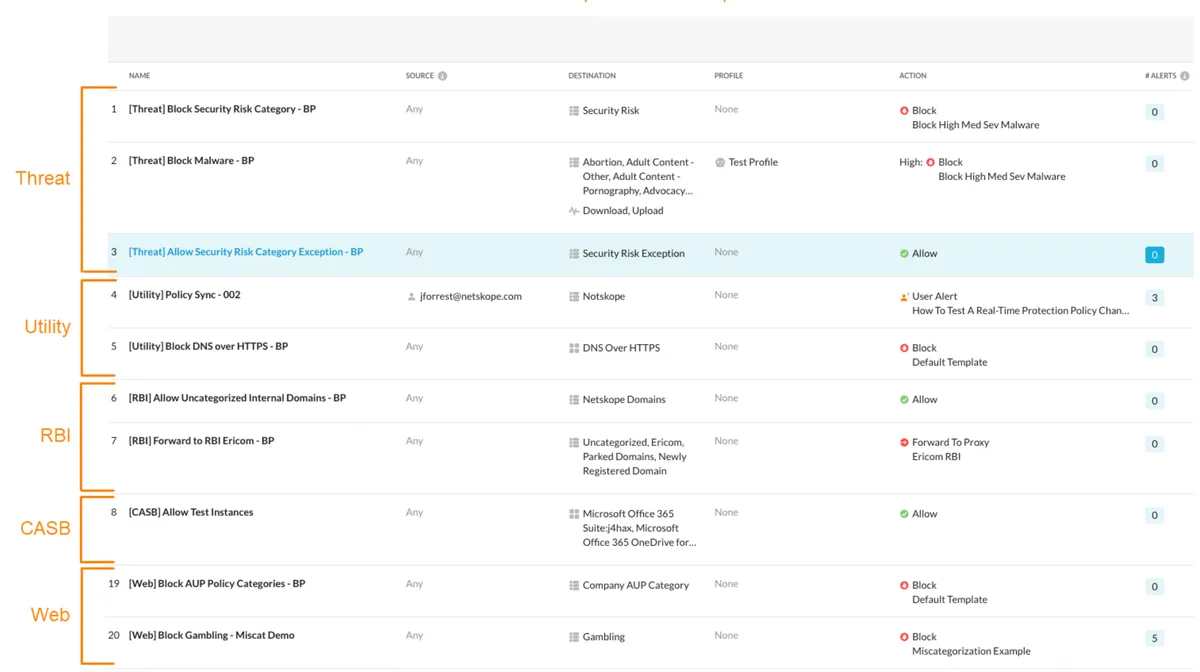
One flexible list. Originally, every policy lived in a single list, and admins could interweave types — data protection, threat protection, and more — in any order. Over time, that flexibility made it easy to work against best practice. Say a data protection policy allows PII for the accounting team. A request from accounting matches it and is allowed — and because a policy has already matched, evaluation stops. If that same traffic hid a threat that a threat protection policy should have blocked, it got through.
A pipeline of steps
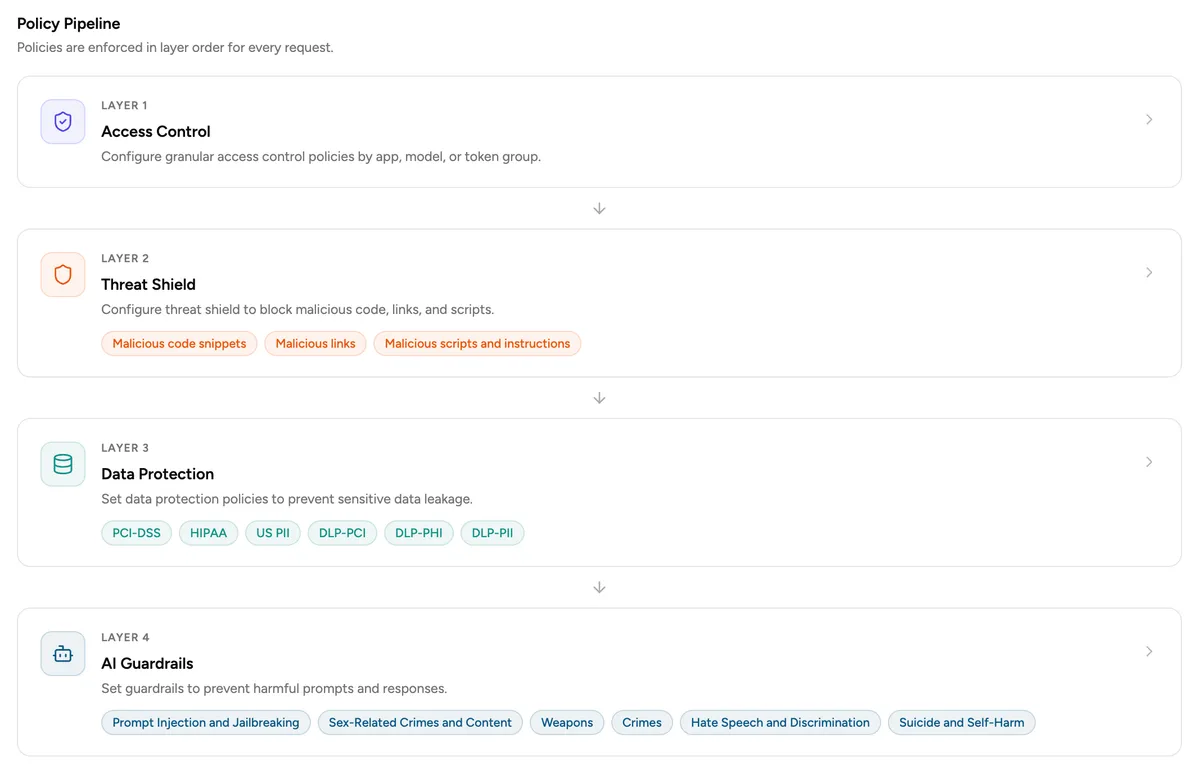
We split each policy type into its own step and curated the order around security best practice. An "allow" still short-circuits the rest of the pipeline and skips the steps after it — but because those steps run in a best-practice order, skipping them is safe by design, not a gap. Admins get that ordering out of the box, so they can't misconfigure it into a hole — or mistake a safe skip for a broken policy. This is the pattern we evolved the policy model into, and the one AI Gateway runs on.